
Creating a simple universal deployment helm chart
2024-05-12
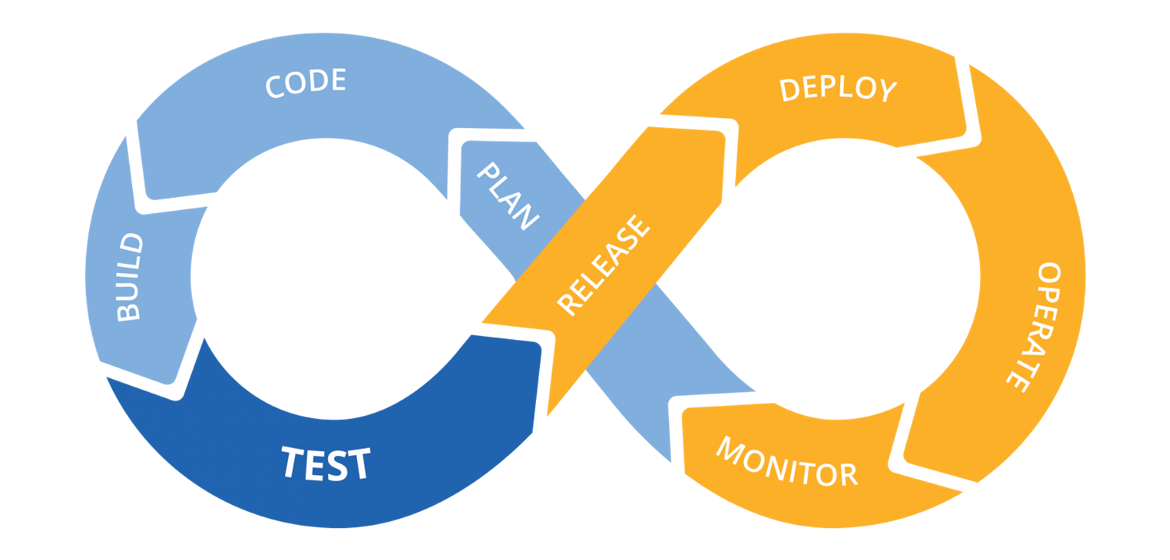
Helm is a powerful package manager for Kubernetes that simplifies the deployment and management of applications. In this article, we will walk through the process of creating a simple universal deployment Helm chart that can be used to deploy applications in a Kubernetes cluster. This chart will include a deployment, service, ingress, and horizontal pod autoscaler (HPA). Additionally, we will set up a CI/CD pipeline to automate the packaging and uploading of our Helm chart.
How Helm Works
Helm uses a packaging format called charts, which are collections of files that describe a related set of Kubernetes resources. A Helm chart contains:
- Templates: These are Kubernetes manifest files that are parameterized using Go templating. They allow you to define how your resources should be created.
- Values: A
values.yamlfile that contains default configuration values for your templates. - Chart Metadata: A
Chart.yamlfile that contains metadata about the chart, such as its name, version, and description.
When you install a Helm chart, Helm renders the templates using the values provided and creates the corresponding Kubernetes resources.
Project Structure
Before we dive into the code, let’s outline the structure of our Helm chart:
.
├── .gitlab-ci.yml
├── README.md
└── deployment
    ├── Chart.yaml
    ├── templates
    │   ├── _helpers.tpl
    │   ├── deployment.yaml
    │   ├── hpa.yaml
    │   ├── ingress.yaml
    │   └── service.yaml
    └── values.yaml
Explanation of Each File
-
.gitlab-ci.yml: This file contains the CI/CD pipeline configuration for GitLab. It automates the process of packaging and uploading the Helm chart to a Helm repository. -
README.md: This file provides documentation for the Helm chart, including instructions on how to use it. -
Chart.yaml: This file contains metadata about the Helm chart, such as its name, version, and description. -
values.yaml: This file defines default configuration values for the chart. Users can override these values during installation. -
templates/: This directory contains the Kubernetes resource templates that Helm will render.-
_helpers.tpl: This file contains helper functions that can be reused across different templates. It helps to avoid code duplication and makes the templates cleaner and more maintainable. -
deployment.yaml: This template defines a Kubernetes Deployment resource. It specifies how many replicas of the application to run, the container image to use, and the ports to expose. -
service.yaml: This template defines a Kubernetes Service resource. It specifies how to expose the application to other services or external traffic. -
ingress.yaml: This template defines an Ingress resource, which manages external access to the services in a cluster, typically HTTP. It allows you to define rules for routing traffic to different services based on the request’s host and path. -
hpa.yaml: This template defines a Horizontal Pod Autoscaler resource, which automatically scales the number of pods in a deployment based on observed CPU utilization or other select metrics.
-
1. Create the Chart
To create the Helm chart, use the Helm CLI:
helm create deployment
This command initializes a new Helm chart named deployment.
2. Chart.yaml
The Chart.yaml file contains metadata about the chart. Update it as follows:
apiVersion: v2
name: deployment
description: The Universal Deployment Helm Chart
type: application
version: 1.0.0
This file defines the chart’s name, description, type, and version.
3. values.yaml
The values.yaml file defines default configuration values for the chart:
# Default values for a "deployment"

replicaCount: 1

deploymentStrategy:
  type: RollingUpdate
  rollingUpdate:
    maxUnavailable: 25%
    maxSurge: 25%

image:
  repository: "nginx"
  tag: "latest"
  imagePullPolicy: IfNotPresent
  imagePullSecrets: []

service:
  enabled: true
  port: 80
  targetPort: 80
  # externalTrafficPolicy: Local
  type: ClusterIP

ingress:
  enabled: false
  className: "nginx"
  annotations: {}
    # nginx.ingress.kubernetes.io/force-ssl-redirect: "true"
    # nginx.ingress.kubernetes.io/ssl-passthrough: "true"
  hosts: []
  tls: []
  #  - secretName: chart-example-tls
  #    hosts:
  #      - chart-example.local

env: {}

autoscaling:
  enabled: false
  minReplicas: 2
  maxReplicas: 6
  targetCPUUtilizationPercentage: 75
  targetMemoryUtilizationPercentage: 90

resources:
  limits:
    cpu: 100m
    memory: 128Mi
  requests:
    cpu: 50m
    memory: 64Mi

livenessProbe:
  enabled: false
  initialDelaySeconds: 10
  periodSeconds: 10
  timeoutSeconds: 5
  successThreshold: 1
  failureThreshold: 1

  probeType: httpGet
  scheme: HTTP
  path: /healthz
  port: http

readinessProbe:
  enabled: false
  initialDelaySeconds: 5
  periodSeconds: 10
  timeoutSeconds: 5
  successThreshold: 1
  failureThreshold: 1

  probeType: httpGet
  scheme: HTTP
  path: /healthz
  port: http
This file allows users to customize the deployment by overriding default values.
4. _helpers.tpl
The _helpers.tpl file contains reusable template functions for generating consistent names and labels across the chart:
{{/*
Define the standardized name of this helm chart and its objects
*/}}
{{- define "name" -}}
{{- .Release.Name | trunc 63 | trimSuffix "-" -}}
{{- end -}}

{{/*
Define the standardized namespace
*/}}
{{- define "namespace" -}}
{{- .Release.Namespace | trunc 63 | trimSuffix "-" -}}
{{- end -}}

{{/*
Generate basic labels for pods/services/etc
Sample Usage: {{- include "labels" . | indent 2 }}
*/}}
{{- define "labels" }}
labels:
  app.kubernetes.io/name: {{ .Release.Name | trunc 63 | trimSuffix "-" | quote }}
  app.kubernetes.io/instance: {{ .Release.Name | trunc 63 | trimSuffix "-" | quote }}
  {{- if .Chart.AppVersion }}
  app.kubernetes.io/version: {{ .Chart.AppVersion | replace "+" "_" | trunc 63 | trimSuffix "-" | quote }}
  {{- end }}
  app.kubernetes.io/created-by: "alexey@4kord.com"
  app.kubernetes.io/managed-by: "helm"
{{- end }}
These functions help maintain consistency and reduce duplication in the templates.
5. Deployment Template
Create the deployment template in templates/deployment.yaml:
apiVersion: apps/v1
kind: Deployment
metadata:
  name: {{ include "name" . }}
  namespace: {{ include "namespace" . }}
  {{- include "labels" . | indent 2 }}
spec:
  {{- if not .Values.autoscaling.enabled }}
  replicas: {{ required "Specify replicaCount" .Values.replicaCount }}
  {{- end }}
  strategy:
    {{- with .Values.deploymentStrategy }}
    {{- toYaml . | nindent 4 }}
    {{- end }}
  selector:
    matchLabels:
      app.kubernetes.io/name: {{ .Release.Name }}
  template:
    metadata:
      labels:
        app.kubernetes.io/name: {{ .Release.Name }}
    spec:
      {{- with .Values.image.imagePullSecrets }}
      imagePullSecrets:
        {{- toYaml . | nindent 8 }}
      {{- end }}
      containers:
        - name: {{ .Chart.Name }}
          image: "{{ .Values.image.repository }}:{{ .Values.image.tag }}"
          imagePullPolicy: {{ .Values.image.imagePullPolicy }}
          ports:
            - name: http
              protocol: TCP
              containerPort: {{ .Values.service.targetPort }}
          env:
            # Default env variables we want all containers to have
            - name: "K8S_POD_NAME"
              valueFrom:
                fieldRef:
                  fieldPath: metadata.name
            - name: "K8S_NAMESPACE"
              valueFrom:
                fieldRef:
                  fieldPath: metadata.namespace
            - name: K8S_NODE_NAME
              valueFrom:
                fieldRef:
                  fieldPath: spec.nodeName

            {{- range $key, $value := .Values.env }}
            - name: "{{ $key }}"
              value: "{{ $value }}"
            {{- end }}
          resources:
          {{- with .Values.resources }}
          {{- toYaml . | nindent 12 }}
          {{- end }}
          {{- if .Values.livenessProbe.enabled }}
          livenessProbe:
            initialDelaySeconds: {{ .Values.livenessProbe.initialDelaySeconds }}
            periodSeconds: {{ .Values.livenessProbe.periodSeconds }}
            timeoutSeconds: {{ .Values.livenessProbe.timeoutSeconds }}
            successThreshold: {{ .Values.livenessProbe.successThreshold }}
            failureThreshold: {{ .Values.livenessProbe.failureThreshold }}
            {{- if eq .Values.livenessProbe.probeType "httpGet" }}
            httpGet:
              scheme: {{ .Values.livenessProbe.scheme }}
              path: {{ .Values.livenessProbe.path }}
              port: {{ .Values.livenessProbe.port }}
            {{- else if eq .Values.livenessProbe.probeType "tcpSocket" }}
            tcpSocket:
              port: {{ .Values.livenessProbe.port }}
            {{- else if eq .Values.livenessProbe.probeType "exec" }}
            exec:
              command:
            {{- with .Values.livenessProbe.command }}
            {{- toYaml . | nindent 16 }}
            {{- end }}
            {{- end }}
          {{- end }}
          {{- if .Values.readinessProbe.enabled }}
          readinessProbe:
            initialDelaySeconds: {{ .Values.readinessProbe.initialDelaySeconds }}
            periodSeconds: {{ .Values.readinessProbe.periodSeconds }}
            timeoutSeconds: {{ .Values.readinessProbe.timeoutSeconds }}
            successThreshold: {{ .Values.readinessProbe.successThreshold }}
            failureThreshold: {{ .Values.readinessProbe.failureThreshold }}
            {{- if eq .Values.readinessProbe.probeType "httpGet" }}
            httpGet:
              scheme: {{ .Values.readinessProbe.scheme }}
              path: {{ .Values.readinessProbe.path }}
              port: {{ .Values.readinessProbe.port }}
            {{- else if eq .Values.readinessProbe.probeType "tcpSocket" }}
            tcpSocket:
              port: {{ .Values.readinessProbe.port }}
            {{- else if eq .Values.readinessProbe.probeType "exec" }}
            exec:
              command:
            {{- with .Values.readinessProbe.command }}
            {{ toYaml . | indent 16 }}
            {{- end -}}
          {{- end -}}
          {{- end }}
This template defines a Deployment resource that manages a set of identical pods. Key components include:
- metadata: Contains the name of the deployment, generated using the helper function for consistency.
- spec: Specifies the desired state of the deployment, including the number of replicas and the pod template.
- template: Defines the pod specification, including the container image and the ports to expose.
6. Service Template
Create the service template in templates/service.yaml:
{{- if .Values.service.enabled -}}
apiVersion: v1
kind: Service
metadata:
  name: {{ include "name" . }}
  namespace: {{ include "namespace" . }}
  {{- include "labels" . | nindent 2 }}
spec:
  selector:
    app.kubernetes.io/name: {{ include "name" . }}
  ports:
  - name: http
    protocol: TCP
    port: {{ .Values.service.port }}
    targetPort: {{ .Values.service.targetPort }}
  {{- if .Values.service.externalTrafficPolicy }}
  externalTrafficPolicy: {{ .Values.service.externalTrafficPolicy }}
  {{- end }}
  type: {{ .Values.service.type }}
{{- end }}
This template defines a Service resource that provides a stable endpoint for accessing the application. It includes:
- selector: Identifies the pods that the service routes traffic to.
- ports: Specifies the ports exposed by the service.
- type: Determines how the service is exposed (e.g., ClusterIP, NodePort).
7. Ingress Template
{{- if .Values.ingress.enabled -}}
{{- $name := include "name" . -}}
{{- $namespace := include "namespace" . -}}
{{- $port := .Values.service.port -}}
apiVersion: networking.k8s.io/v1
kind: Ingress
metadata:
  name: {{ $name }}
  namespace: {{ $namespace }}
  {{- include "labels" . | indent 2 }}
  {{- with .Values.ingress.annotations }}
  annotations:
    {{- toYaml . | nindent 4 }}
  {{- end }}
spec:
  ingressClassName: {{ .Values.ingress.className }}
  rules:
    {{- range .Values.ingress.hosts }}
    - host: {{ .host | quote }}
      http:
        paths:
          {{- range .paths }}
          - path: {{ .path }}
            pathType: {{ .pathType }}
            backend:
              service:
                name: {{ $name }}
                port:
                  number: {{ $port }}
          {{- end }}
    {{- end }}
{{- end }}
This template defines an Ingress resource that manages external access to the services. It includes:
- rules: Specifies how to route traffic based on the host and path.
- backend: Defines the service to which traffic should be directed.
8. HPA Template
Next, we will create the deployment template. Create templates/hpa.yaml and add the following content:
{{- if .Values.autoscaling.enabled }}
apiVersion: autoscaling/v2
kind: HorizontalPodAutoscaler
metadata:
  name: {{ template "name" . }}
      {{- include "labels" . | indent 2 }}
spec:
  scaleTargetRef:
    apiVersion: apps/v1
    kind: Deployment
    name: {{ template "name" . }}
  minReplicas: {{ .Values.autoscaling.minReplicas }}
  maxReplicas: {{ .Values.autoscaling.maxReplicas }}
  metrics:
  {{- if .Values.autoscaling.targetCPUUtilizationPercentage }}
    - type: Resource
      resource:
        name: cpu
        target:
          type: Utilization
          averageUtilization: {{ .Values.autoscaling.targetCPUUtilizationPercentage }}
  {{- end }}
  {{- if .Values.autoscaling.targetMemoryUtilizationPercentage }}
    - type: Resource
      resource:
        name: memory
        target:
          type: Utilization
          averageUtilization: {{ .Values.autoscaling.targetMemoryUtilizationPercentage }}
  {{- end }}
{{- end }}
This template defines a Horizontal Pod Autoscaler (HPA) resource that automatically scales the number of pods based on CPU utilization. It includes:
- scaleTargetRef: Specifies the deployment to scale.
- minReplicas and maxReplicas: Define the scaling limits.
- metrics: Specifies the resource metrics used for scaling.
9. Setting up CI/CD
Finally, we need to set up a CI/CD pipeline to automate the packaging and uploading of our Helm chart. Create the .gitlab-ci.yml file:
variables:
  PIPELINE_TYPE: helm

workflow:
  rules:
   - if: $CI_COMMIT_BRANCH == $CI_DEFAULT_BRANCH

stages:
  - upload

upload:
  stage: upload
  image:
    name: alpine/helm:3.14.3
    entrypoint: [""]
  variables:
    CHARTS_DIR: "."
    CHANNEL: "stable"
  before_script:
    - apk update
    - apk add curl
  script:
    - |
      for chart_dir in $CHARTS_DIR/*; do
        if [ -f "$chart_dir/Chart.yaml" ]; then
          chart_name=$(cat "$chart_dir/Chart.yaml" | grep '^name:' | awk '{print $2}')
          chart_version=$(cat "$chart_dir/Chart.yaml" | grep '^version:' | awk '{print $2}')
          helm package $chart_dir -d $chart_dir/dist
          curl --request POST \
               --user gitlab-ci-token:$CI_JOB_TOKEN \
               --form "chart=@$chart_dir/dist/$chart_name-$chart_version.tgz" \
               "${CI_API_V4_URL}/projects/${CI_PROJECT_ID}/packages/helm/api/${CHANNEL}/charts"
        fi
      done
Explanation of .gitlab-ci.yml
- variables: Defines environment variables for the pipeline.
- workflow: Specifies when the pipeline should run (e.g., on the default branch).
- stages: Defines the stages of the pipeline, in this case, just the upload stage.
- upload: This job packages the Helm chart and uploads it to the GitLab Helm repository.
Conclusion
In this article, we created a simple universal deployment Helm chart that includes essential Kubernetes resources such as deployments, services, ingress, and HPA. We also set up a CI/CD pipeline to automate the packaging and uploading of the Helm chart. This setup allows for efficient management and deployment of applications in a Kubernetes environment, streamlining the process of scaling and updating applications.
Key Takeaways
- Helm Charts: Helm simplifies the deployment of applications on Kubernetes by using charts, which package all necessary resources and configurations.
- Modular Design: By structuring the chart with templates for deployments, services, ingress, and HPA, we can easily manage and customize our application deployments.
- CI/CD Integration: Automating the packaging and deployment process with a CI/CD pipeline ensures that the latest versions of our applications are always available and reduces the risk of human error during deployments.